
Write a groove
Click notes onto the grid and see proper drum notation appear. Loop it, change the tempo and hear how it feels.
Explore the editorMade by a drummer, for drummers
Write drum grooves, build teaching worksheets and chart whole songs. Hear them back and print clear notation, all on your Mac.
£9.99 launch price (normally £17.99). One-time purchase, no subscription.
7 days to try every feature · macOS 14 or later
From the first beat to the printed page
Click notes onto the grid and see proper drum notation appear. Loop it, change the tempo and hear how it feels.
Explore the editorTurn your ideas into clear A4 worksheets. Add stickings, save reusable exercises and practise each one on a loop.
See the teaching toolsCount out the bars, mark the sections and add grooves or fills. Print a part you can take to rehearsal.
See song charts01 / Write a groove
Start with a preset or a blank grid. Build a beat, hear it back and make it your own.
Save favourite grooves in your searchable Practice Library.

02 / Prepare a lesson
Build numbered exercises into a worksheet, then print clear A4 handouts or save a PDF. Keep your best pages as reusable templates.

03 / Chart a song
Tap along to build the bars and name your sections. Add grooves, fills, repeats and endings, then play it back or print your part.
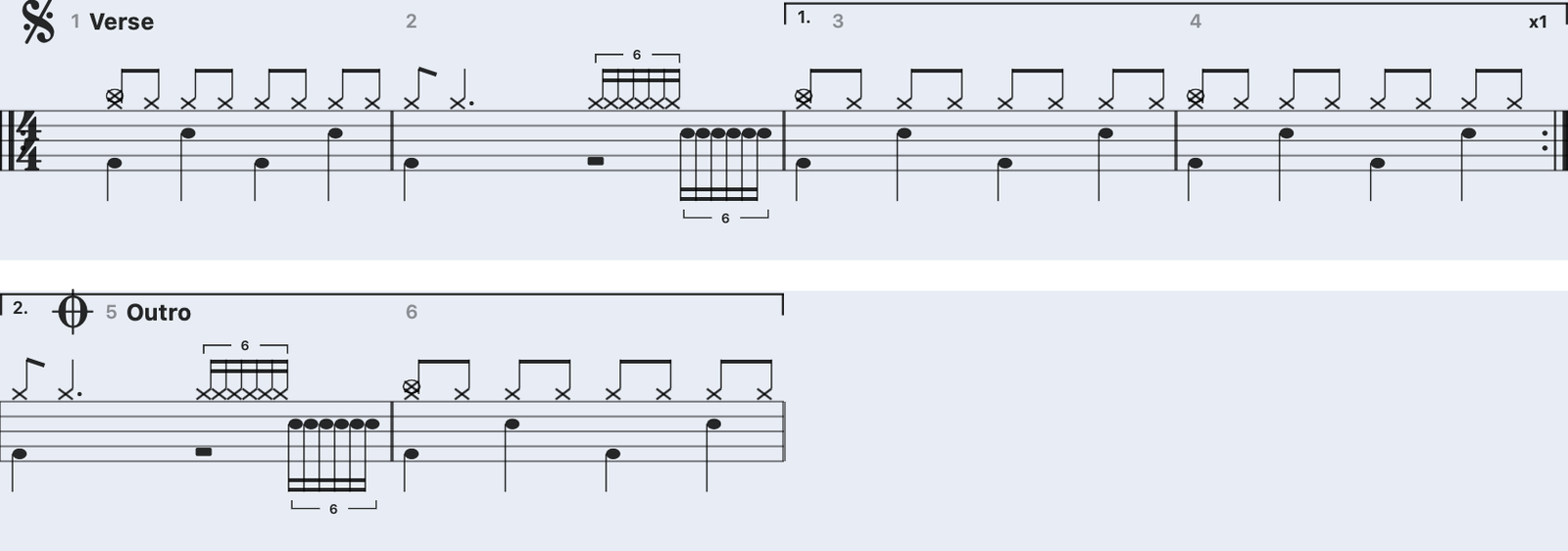
Follow the song. Label the intro, verse, chorus and everything between.
Keep the detail. Add your own grooves and fills where you need them.
Take it with you. Print multi-page parts or save them as PDFs.
Built from the teaching room
I’m Neil, a working drummer and drum teacher. BeatBake brings groove writing, lesson preparation and song charts into one focused Mac app.
Questions? Email me directly ↗One app. One purchase.
£9.99 Launch price, normally £17.99 · one-time purchase
VAT included where applicable
Secure checkout via Lemon Squeezy.
Your licence key arrives
by email.
Try every feature free for 7 days. After the trial, saving, printing and MIDI Out require a licence. Your grooves stay on your Mac.
You need macOS 14 (Sonoma) or later. A display of 1280 × 800 or larger is recommended; 1440 × 900 gives worksheets more room. The minimum app window is about 1100 × 720.
Use the free trial to check it on your own setup before buying.
The trial includes every feature for 7 days. After that, saving your work, printing and MIDI Out require a licence. Your saved grooves remain on your Mac.
No. BeatBake for Mac is a one-time purchase: £9.99 at launch (normally £17.99), with free updates throughout v1.x.
Yes. Print grooves, numbered worksheets and multi-page song charts. To make a PDF, choose Save as PDF in the macOS print dialog.
No. BeatBake has a built-in sound engine for playback and practice. You can also use MIDI Out to route it to Logic Pro or another DAW.
Email hello@beatbake.co.uk or visit the help guide. You can read the refund policy before buying.
Coming next
A touch version is in the works, with a free trial planned.